Wednesday, 29 September 2010

Photos of me Filming


This is various pictures from the filming including the scene with the 'geeks' Dan and Josh, whilst I was filming my friend Bryony was taking the photos for me. Theres some various shots of when I am filming and when I am discussing with the boys about how they did and what could be improved. There is also a tracking shot where the boys are running towards me and I have to keep the same pace and movement to make me seem like Aarons character backing away.
Then there is some on the same day when I turned round and film Aarons reaction to what the boys said and him running.
I am also shot of producing the 'love' scene, the photos were taken by Dajana, displaying me filming handheld of the two characters these being mainly overshoulder shots, but also there is some featured from my the actors point of view just before filming.

Latest News

- Due to Aaron not being able to make it to Richmond river on the 29th September due to restrictions with his bus pass. I will be shooting scene 36-39 at Coronation Park near to where he lives. This also features a river and I will produce a recce of this location. The weather may be a restriction to filming.

Tuesday, 28 September 2010

Skills development improvement


This is my latest improvements on my skills development, I learnt how to add text to images this is evident as I included peoples names and how they connect to media as they are talking. I also learnt how to import my own logos to see how they would turn out before adding them to my real trailer.
In terms of sound I developed my skills of changing different volumes by using the 'toggle clip overlays' which allowed me turn the non diegetic music down when different people were being interviewed, so we could hear there statements clearly.

Issues (filming)

I was planning to film the last scenes on Tuesday the 28th September but due to my actor being unavailable I will be doing this on the 29th. But to overcome the problem I have decided to film different scenes on the 28th which have different actors so I am doing something towards my work for the deadline.

Thursday, 23 September 2010

Issues surrounding soundtrack

My teacher announced that OCR would like us to produce our own music or get permission from an unsigned band, this will put back my production slightly as out of the music I'm using only one from an unsigned artist therefore I will need to work on Garage band in my frees to create some music.

I struggled to make music on garage band, but as a back up I email a girl off youtube who is unsigned to see if I can use a song she sang.

This is evidence of Jesi letting me use her song cover :)


And below is the video I found of her :) with the desired song, I think it fits well as it mentions a rollercoaster which represents the two characters in the trailer being thrown into an uncomfortable moment.


Wednesday, 22 September 2010

Shooting schedules


Construction logos

I began to create my logos which was then put into my skills development video. Whilst experimenting on photoshop I found some techniques I could add to the logos I designed so therefore I created some alternative ideas which I placed on my Facebook focus group to get some comments. All of the logos were made in photoshop at 720 pixels by 576 pixels at 72DPI .

Main title Logo
This will be used as the main title for my overall trailer. It is simplistic and easy to read in a short space of time, I used a girly decorative font (dafont.com) which displays feminisity but also this has been placed saying 'Romeo' to give clues of what the narrative is about likewise with the 'Juliet' another font from (dafont.com) which displays a masculine look.
I put a simple font for the Vs in black so it is recognised on the logo and shows that the characters dont get along.


Reeltime Logo
This is the main production logo for my trailer, I found a movie reel online and used photoshop to edit the image to make it my own. I done this by using the gradient tool (blue and white) in the squares to give it a cool effect and modernised look but also it makes the image a lot brighter. I then used the wand tool and switched the colour to black, after selecting the parts I wanted I used the paint bucket to fill in the reel strip to make the image stronger rather than leaving it grey.
For the font I went onto a site called 'dafont.com' to download some fonts for the various logos, the font being called Bellerose this gives the image a professional look, I had to resize the different letters to fit them into the blue squares and displays the effect what old films used to have when they would display the different numbers on a film reel. (see example)


Flick films logo

Flick films is going to be the distribution company, I created there logo by starting off with a black background using the paint bucket tool. I then created the curved shape and used duplicate layer to get the exact same shape. To get one of the shapes to be upside down I used the transform tool to flip it horizontal and vertically. I then selected each shape individually and used the gradient tool with purple and white to give a faded effect.
For the title I went onto 'dafont.com' and found the font star avenue, I then used the gradient tool again to match the title with the shapes. For the shapes to fit around the type I used free transform to adjust the size and position of the shapes. The shapes weren't standing out very well so I used layerstyle to find improve it using outer glow by changing the colour to purple and experimenting with the size and noise creating a border/outline.


Movie house logos.

I have made two logos for Movie House as I was experimenting with the different filters and came across the lens flare which looked quite effective on a black background, so I created two versions and then I will put them both on Facebook for my focus group to decide.
The first image with the directors chair has also got a grey/black background so the spotlight is more noticable and makes the image stand out. I found the image of the directors chair online and did some editing to the image to make it my own by adding more colour to it and some text on the chair .

Only in cinemas logos.


I have done two variations on the only in cinemas logo, the first one being on a black background with a spotlight in the corner using the filters gives a professional but film like appearance but also helps highlights the importance of the information. The text is in blue and pink to add to the theme of bodyswap. I have also provided a date of the films release so this indicates to the audience to when they can see it. But also a website if they want to find out more about the film before seeing it.
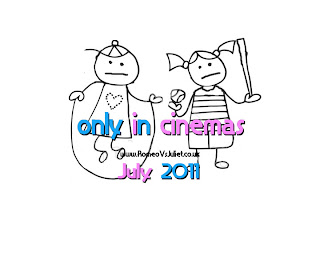
The second logo is on a white background with the same font as they first one so the body swap idea is still recognised. However there is an image on this logo, which looks like a childs drawing but the heads on the boy and girl have been swapped with upset faces which keeps the idea going and gives away what the trailer is about and can be used as a memorable image. I didn't colour the image as it may distract the audience from the information provided.


Thursday, 2 September 2010

Progress review

Below is a progress review by my teacher


Then I created my own progress review in response to my teachers.


Thursday, 26 August 2010

Skills development

amstudio music tryout:

I have tried making a soundtrack on jamstudio.com it was going well, I was learning how to add chords and different instruments into my composition but then the programme wouldnt let me save the work I created as I had to pay for the music, which was in dollars but also very expensive. So at least I got some experience of how to make a soundtrack.

Teesside university visit

To learn new skills in filming and editing to aid my coursework I attended the workshop in Teesside at the university. Attending the Teesside university trip was to find out some tips on how to film such as framing, focus, speed, lighting and colour. But later on in the session I got a chance to edit an existing film trailer to learn the basic editing skills to go towards my production.


Using the camera - It is important to keep checking your framing in each shot so you can keep the proportion right but also every location and action is different so this is another factor I need to keep in consideration. In terms of focus I must be aware when using the camera the image can come out of focus slightly, but zooming in on the desired object can refocus it to make it less blurry. We also looked at colour and how to adjust the white balance which will improve the quality and brightness in dull settings to give it more vibrance and a clear shot to make it look professional for the trailer.
We later went out to film some scenes and learnt how to variate camera movements such as panning and tilting which will help me with my production because I will have the skills to pull off different camera techniques successfully and correctly to result in a professional, creative end product.

To add to our knowledge of equipment and how to set up tri-pods correctly and how
to adjust the tri-pod legs etc, this will improve my future filming because I will know how to keep a good angle without the overall image being an unwanted tilt. I learnt how to use ND filters to improve the lighting when filming especially inside which makes the image clear and easy to see whats going on in the shot.


Sound- I also learnt how to improve the sound in my production with the use of a gun mic which aims to stop unwanted noises such as if I was filming outside the wind could be stopped as it is used mainly to capture dialogue or loud noises such as maybe a door slamming, to get this effect I would simply have to get the mic as close to the person or object without it being shown in the shot. To capture good quality dialogue or sound.

Editing- We then began to edit our foota
ge to make a sequence we used transitions, the slice tool to get the better parts of footage to connect with the next shot which will be needed in my actual production. Me and my partner Aaron began to add some music from gladiator to make the footage come to life and discovered how much music gives to the final output to make it lifelike. This affects my production as I will need music to represent the different moods in the trailer.
But later we created a trailer for the existing film Gladiator using the actual footage, we experimented by adding interviews from the director and cast, but also trying to add sound in the background quietly so we can still hear the people talking in the interview this will help with my production because mine will have a lot of dialogue to represent the characters feelings being stuck in eachothers bodies. I also learnt that you could speed up and slow down certain footage to create an interesting effect such as in my production I have a shot of zooming into a characters mouth when screaming I could speed this up to prevent too much time on that scene.
Trailers- I learnt quite a lot during the Teesside media workshop because I have never created a trailer before so now I have some idea of how to make it exciting and well presented. The key components I should consider when editing are sound, speed, transition and effects. Sound will improve the emotion of my work making it more real but also display the feelings and emotions in the scene. Speed and length of particular shots are important as I want to make the trailer exciting and not long and boring. Transition is another important idea when editing the trailer as I need to know how scenes are going to lead to others smoothly. If I need any effects such as brightness, black and white etc, if I need to improve the quality of the film I can easily do this in the editing phase. I may include some test shots in my blog and focus group to get comments on how to improve shots and what else can be added to make them look better.


Video editing exercise

During the making of the video edit I learnt how to log and capture my work correctly and how to set the scratch disks so my work wouldnt get lost and I would have to start all over again. I also learnt how to cut clips to take out the unwanted parts I did this by alligning the cut tool to the footage and clicked then deleted what I needed to.
I also learnt how to add music to the footage by importing the file and rendering it, but also if I want dialogue to be heard I could adjust the sound at the appropriate times.
This will help me with my trailer as I never used final cut before so I know have some basic skills to help me make my trailer more professional.


ge

Photoshoot images


Photoshoot images: Sophie (BMA awards model) These images will be for the magazine front cover although I can only chose one, I will be weighing out the positives and negatives of all five images. The background will be replaced with a movie star premiere background with the use of photoshop.


+ve:
- It's a good quality medium close up of sophie so we can see her facial features plus the make up we have put on her to make her a movie star.
- The pose is simple and nothing to dramatic.
- We can see the diamond feature on the dress which makes the picture classy and sophisticated.


-ve :
- Can't see the full dress which is one of the main features of a movie premiere the idea of to 'dress to impress'.
-The pose may be too simple? therefore maybe a pose with a bit more confidence.


+ve :
-we can see the full outfit, this is good because we can see the effort the model has made to look the part but also we can now see the full features of the dress such as the diamond and extra fabric to make it different in style
- Thanks to the light, we can see a lovely glamourous shine to the dress which adds to the glitzy theme, and could look like the paparazzi using flash on their cameras to get a nice clearer look.
-The pose I also think is brilliant as Sophie looks confident like a movie star should be. But also the angle is on a slight tilt which makes Sophie look more dominant and gives her more height. However it lets the audience see her whole body aswell including the silver shoes to compliment the outfit.


-ve :
- The only negative I would say about this image is that Sophie is looking away from the camera, which could well be a part of the pose but the image would be stronger if she smiled with her eyes at the camera to give her a sweet, glam look.


+ve :
- Another favourite image of mine, I like this one because the pose gives some innoncence to the model.
- The shine on the dress yet again gives her a glam look, but on the other hand her whole body is in the shot (longshot) which display the whole transformation she has taken to become a movie star. Also it displays the features on the dress such as the diamonds.
- Sophie is looking straight at the camera with her eyes which displays theres contact, her eyes being in the top third which makes her more dominant to the paparazzi.


-ve :
-Yet again only one negative is that her foot has been cut out of the picture, but however I'm sure people reading the magazine would prefer to see her face and dress.


+ve :
-A positive about this image is the audience can see the back feature of the dress which is quite unique in its style.
-The pose is a typical pose used by a lot of movie stars looking back at the audience and paparazzi and smiling which suggests they want to display there dresses but show they are comfortable with what they are wearing.


-ve:
- However I wouldn't say this is the best image because by sophies facial expressions she doesnt seem very comfortable with the pose because she isn't normally a photo pose type of person.
-There is also a bit of a blur which damages the quality of the image.


+ve :
-The photo displays the whole outfit very well as it doesnt cut off the shoes, and display the glitzy glam look very well.
-There is a shine on the dress which brings out the dress to the foreground and makes it noticable to the audience.
-Sophie is using her eyes to smile aswell as her mouth to create a sweet look, but also shows she isn't afraid of getting her photo taken and is photogenic.

-ve :
-If Sophie posed for the picture with her arms this image would be excellent as it would display confidence and make the image more professional.


To decide which image would be the best for the magazine I uploaded an image of the top 4 onto my facebook group. I then asked the members of my focus group to choose which one would be the image to feature in the magazine.


The results was as follows...


3 people took part in the mini survey and they all voted number 2 as they felt it looked 'more like a red carpet pose' I think this is true as sophie looks confident and stylish in the image.

Friday, 30 July 2010

Scripts

To make the script bigger simply click the image and ctrl and + (press together) to adjust it to the size you can read it :)

The script fits well into the trailer, and dialogue is spoken during the scenes, this may include some voiceovers in certain parts of the trailer. The dialogue helps contribute to the understanding of trailer as it shows what the other characters are thinking in each others bodies. A lot of the trailer is made of narrators voice and dialogue which is also done in other trailers, which tell the story.


Costumes


Call sheets and Model release forms

Below is both the model release forms and call sheets for each member of the cast.
Bryony - Female lead role


Aaron - Male lead role


Sophie Pattison - BMA model (magazine)


Daniel Barnes- male leads best friend


Josh Pattinson- male leads best friend


Photoshoot plans

The various photoshoot plans includes locations for my photoshoot for the magazine and poster but also for some of the various locations the trailer will be shot in.


Film trailer photoshoot plans


This is the mirror scene I have to take the 180 degree rule into consideration,therefore all the camera places are looking towards the character as I cant film in front of them due to the wall being there. There will no natural lighting as we are indoors but we will have to use the lighting already in the bathroom to recieve the best visibility. High key lighting will be used to display that the scene is significant to show the audience that there is something wrong with the character and the light could possibly help the audience focus on the characters action and that danger is ahead.


This shot will be outside so can make use of the natural lighting during the day. Yet again I will have to use the 180 degree rule, to keep the characters on the right side throughout the conversation between them to make it more realistic. Natural lighting is a good lighting technique because it keeps all the colours in perfect proportion without using editing, but also it is very powerful brightens up the image however when theres sun you can expect shadows, which could damage the quality as in the shot you may see me filming.


There are many subjects in this shot as its a class room scene which features all actors laughing at the main characters clothing. There are various places for the camera to be but one problem could be the middle camera facing the back of the students heads.
In terms of lighting there is plenty of natural light coming into the room without the use of editing and artificial lighting. But on a day with bad weather there is use of artificial lighting to brighten up the image being filmed. This shot could be low key lighting to give a gloomy atmosphere and gets brighter when the character comes in to display how she looks different from the others in the class.


This will involve natural lighting as the shot will be taken outside to keep the colours in proportion but also the two subjects will be filmed at the river, so the natural lighting could bring out the colours of the grass, river etc to make a vibrant atmosphere. The characters will be walking down the path therefore the camera 180 degree rule comes into place involving keep the character in the right place throughout the shot with the use of the three camera opportunity zones.
Could possibly add a red tint in the editing process to give a warm atmosphere to show chemistry and love emerging.


Magazine images
The first image may be used for the main magazine image of the film Romeo Vs Juliet, this will be taken in the studio to make use of the whitescreen to bring the chracters and colours to the foreground. But also makes the image more high quality and professional, so in terms of lighting high key lighting should be used at either side of the subjects to keep shadowing equal and give the image a more vibrant look.
The use of three dimensional lighting gives the characters shape, solidity and depth and brings out the features of the characters faces etc to make them stand out from the rest of the magazine. The camera will be varying in position but inparticular a tilt shot.


This picture is for one of the smaller images on the magazine which depicts the bond like character (red subject box) who will be captured from various angles this is shown through the camera being adjustable. The lighting source will be natural as the image will be taken in a derelict area or photoshopped onto one to create the bond theme. The yellow box is to display he will be holding a prop, the prop being a gun to depict the danger and action in the film.


This will also be a small image
on the magazine featuring Jade Brown who will be taking on the modelling role of a dancer in a new movie she will be faced to the side having one arm touching her hat which will be on her head. This will be taken in the studio to provide the spotlight theme but also to help make the image clearer with the use of high key lighting which will keep the colour's in proportion but also have a spotlight. The camera will be adjustable to be able to find the perfect angle.


Yet again this will be another smaller image of the 'actress' played by
Sophie which will be in the studio to create a glossy professional sophisticated look. With the camera being adjustable I'm going to aim for a medium close up so we can see the 'actress' face clearly with her make up and hair done like a movie star. The high key lighting will provide a spotlight feel to the image.


Movie Poster


This is will be taken in the studio to make use of creating a high quality image to grab the audiences attention. The high key lighting will bring the characters to the foreground and enhance there features making it more vibrant. The camera will be adjustable to be able create various shots in different angles to find the perfect image.